An input device can be defined as an electro mechanical device that enables the user to send data, information, or control signals to a computer. The Central Processing Unit (CPU) of a computer receives the input and processes it to produce the output.
Some of commonly used input devices are described ahead.
1) Keyboard – Keyboard is used to enter data or information in a computer system which may be in numeric or alphabetic form. When key is pressed, keyboard interacts with a keyboard controllers and keyboard buffer. Keyboard controller stores the code of pressed key in keyboard buffer. The user can type text and command using this device.
Keyboard has different sets of keys for letters, numbers, characters, and functions. Keyboards are connected to a computer through USB or a Bluetooth device for wireless communication.
Keyboards are of two sizes 84 keys or 101/102 keys, but now keyboards with 104 keys or 108 keys are also available for Windows and Internet.
The keys on the keyboard are as follows −
Typing Keys- Typing keys include the letter keys (A-Z) and digit keys (09) which generally give the same layout as that of typewriters.
Numeric Keypad-It is used to enter the numeric data or cursor movement. Generally, it consists of a set of 17 keys that are laid out in the same configuration used by most adding machines and calculators.
Function Keys- The twelve function keys are present on the keyboard which are arranged in a row at the top of the keyboard. Each function key has a unique meaning and is used for some specific purpose.
Special Purpose Keys – Keyboard also contains some special purpose keys such as Enter, Shift, Caps Lock, Num Lock, Space bar, Tab, and Print Screen.
There can be different types of keyboards based on the region and language used. Some of the common types of keyboards are QWERTY Keyboard, AZERTY Keyboard, DVORAK Keyboard etc.
2) Mouse – Mouse is a small handheld pointing input device having two buttons on its upper side and also has a small wheel between these buttons.
Laptop computers come with a touchpad that works as a mouse. It lets you control the movement of cursor or pointer by moving your finger over the touchpad.
Some mouse comes with integrated features such as extra buttons to perform different buttons.
The mouse was invented by Douglas C. Engelbart in 1963.
Trackball mouse, Mechanical mouse, optical mouse, Wireless mouse are some common types of mouse.
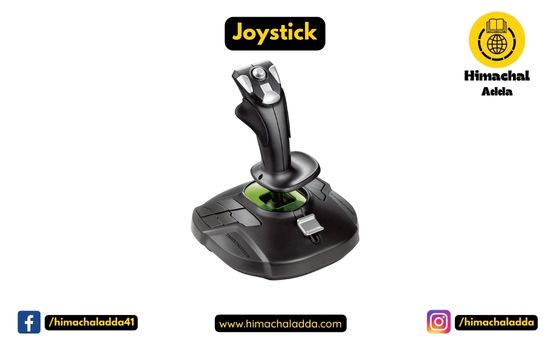
3) Joystick – it is also a pointing device which can moves in all directions and controls the movement of the cursor.
It is made up of a stick with a spherical base. The base is fitted in a socket that allows free movement of the stick. The movement of stick controls the cursor or pointer on the screen.
The first joystick was invented by C. B. Mirick at the U.S. Naval Research Laboratory.
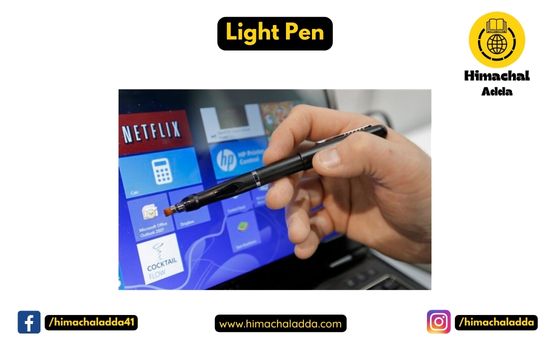
4) Light Pen – A light pen is a computer input device that looks like a pen. It is a handheld eletro-optical pointing device which is used for making drawing, graphics and for the menu selection. It is not compatible with LCD screens, so it is not in use today. It also helps you draw on the screen if needed. The first light pen was invented around 1955 as a part of the Whirlwind project at the Massachusetts Institute of Technology (MIT).
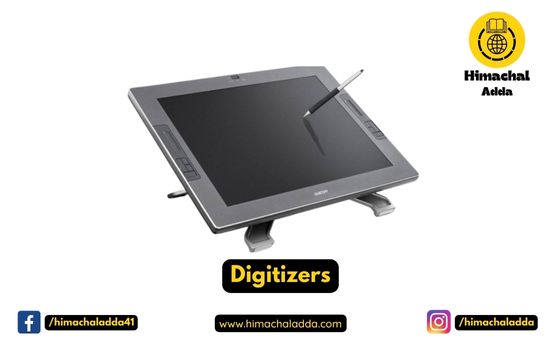
5) Digitizers – Digitizer is a computer input device that has a flat surface and usually comes with a stylus.it allows user to create or draw handmade images and graphical images with moion and action.
it is also used to receive information in the form of drawings and send output to a CAD (Computer-aided design) application and software like AutoCAD.
6) Scanner – Scanner is an input device used for direct data entry from the source document into the computer system. This device works like a Xerox machine. it converts the documents image into digital form so that it can be fed into the computer.
It uses optical character recognition techniques to convert images into digital ones.
Flatbed Scanner, Handheld Scanner, Sheetfed Scanner, Drum Scanner, Photo Scanner are some of types of Scanner.
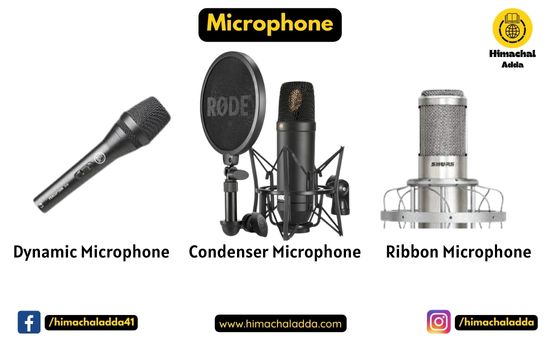
7) Microphone – Microphone is an input device to input sound that is then stored in a digital form.It receives the sound vibrations and converts them into audio signals or sends to a recording medium.
The audio signals are converted into digital data and stored in the computer. The microphone also enables the user to telecommunicate with others.
Dynamic, Condenser, Ribbon are the common types of Microphones.
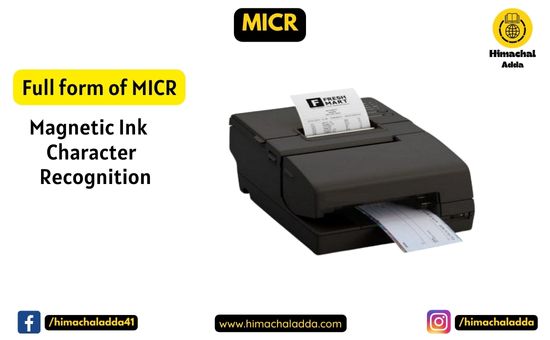
8)Magnetic Ink Character Recognition (MICR) – MICR reads the characters by examining their shapes in a matrix form and the information is then passed on to the computer. The characters are printed using a special ink (contains iron oxide) that can be magnetized.
It is generally used in banks to process the cheques for recognizing the magnetic encoding numbers printed at the bottom of a cheque.
It can process three hundred cheques in a minute with hundred-percent accuracy. The details on the bottom of the cheque (MICR No.) are written with magnetic ink. A laser printer with MICR toner can be used to print the magnetic ink
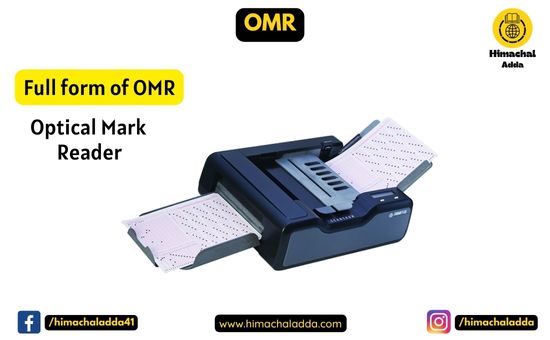
9) Optical Mark Reader (OMR) – OMR is a special type of optical scanner used to recognize the type of mark made by pen or pencil. It is used where one out of a few alternatives is to be selected and marked.
It is specially used for checking the answer sheets of examinations having multiple choice questions.
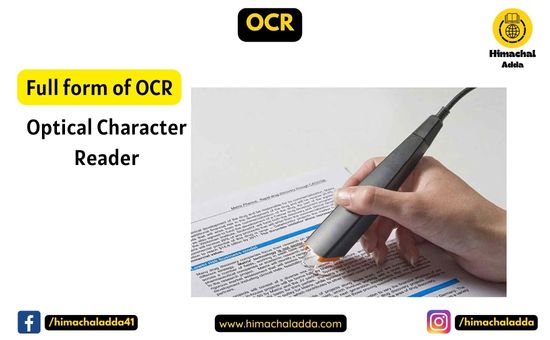
10) Optical Character Reader(OCR) – OCR is a technique for scanning a printed page, translating it and then using OCR software to recognize the images as ASCII text that is editable. It translate the array of dots into text that the computer can interpret as words and letters.
It is mainly used in application such as telephone bills, electricity bills etc.
11) Bar Code Reader – Bar Code Reader is a device used for reading printed barcodes (Universal Product Code) available on products to be sold. Bar coded data is generally used in labelling goods, numbering the books, etc. It may be a handheld scanner or may be embedded in a stationary scanner.
A perfect example of barcode reader is, to use it in a super market where bar code scanner reads the price of product which is in the form of barcodes.
12) Biometric Devices- Biometrics refers to a process in which a person is identified through his or her biological features such as fingerprints, eye cornea, face structure, etc. It is done by using biometric devices, which can be of different types based on their scanning features and abilities, such as: Face Scanner, Hand Scanner, Fingerprint Scanner, Retina/Iris Scanner, Voice Scanner.